Hands-on with variable fonts and Web MIDI
February 14, 2023

For the most recent Cogapp hack day I decided to combine two things which have been on my radar for a while: Variable fonts and the Web MIDI API.
Combining Web MIDI and Variable fonts isn’t a completely original idea — Gor Jihanian’s 2018 TypeLab talk, Interacting with Variable Fonts using MIDI Controllers, showcases an experiment using two different types of hardware: a Korg nanoKontrol2 control surface and a Leap Motion hand motion sensor. Another example is WebMidi Typography, an experiment by Lawrie Cape. I couldn’t find either of these examples hosted online so decided to build my own.
What’s a variable font?
Variable fonts (aka “OpenType Font Variations”) are a break from the traditional paradigm of having each individual weight/style combination of a typeface provided as separate font files. With variable fonts, these are combined into a single file with one or more variable axes. For example, instead of having discrete light, regular, medium, bold, and extra bold weights, in a variable font, weight would be represented as a continuous range.
This has the benefit of allowing you to choose a value other than the finite number of weights provided by the type designer. If bold (font-weight: 700) is not quite bold enough but extra bold (font-weight: 800) is too bold, you can choose a value of 750. This can be combined with other axes to create a unique variant of a font tweaked for an individual use case.
As well as weight, common axes include ‘slant’ (how italic a font appears), ‘width’ (the amount of horizontal space each character takes up) and ‘optical size’ (adapting certain features of characters to optimise them for display at different sizes). Some fonts also include more obscure axes such as ‘distortion’ (see Flicker), ‘wonk’ (see Fraunces), and ‘daffness’ (see Daffy).
Variable fonts have been supported in web browsers for over five years but my previous experience consisted of nothing more than tweaking a few sliders on v-fonts.com and looking at pretty Codepens.

For this project, I chose the variable font Recursive because its five axes give it lots of versatility without an overwhelming number of options. It’s also open-source.
Controlling variable fonts with CSS custom properties
The various axes of a variable font can be controlled using the font-variation-settings CSS property. Using CSS custom properties (aka CSS variables) makes it possible to tweak these values individually and update them via JavaScript.
I used the same concept to make font-size and text colour editable too:
MIDI messages in the browser
Musical Instrument Digital Interface (MIDI) is a standard which allows for communication between various devices, primarily for the purposes of musical performance and production.
I’ve been using MIDI to connect synthesisers and other musical devices for years but hadn’t considered its applications outside the world of music making. The Web MIDI API allows us to connect MIDI devices to the browser for both musical and non-musical purposes.
I used the following JavaScript code, adapted from the MDN article, to make MIDI events appear in the browser console:
MIDI messages consist of three bytes, each represented as a hexadecimal (to enable 16 possible values, it uses the digits 0 to 9, followed by six alphabetic characters — A, B, C, D, E, and F):
- The first byte is the status. Note on is
9x, Note off is8x, and Control Change (CC) isBx(wherexrepresents which of the 16 possible MIDI channels is being used, 0–F). - The second byte is unique for each key or control. For Note on and Note off messages, it’s the Key number. For CC messages it’s the Controller number.
- The third byte ranges between
00and7F(or 0–127 in decimal). For Note on and Note off messages, it’s the velocity (i.e. the speed with which the key/pad was pressed or released). For CC messages, it’s the Controller value.

My AKAI LPD8
I used an AKAI LPD8 controller with eight pads and eight knobs. Hitting one of the pads sends a Note on message and releasing it sends a Note off message. Rotating a knob sends a CC message. Like most modern MIDI controllers, it’s plug and play, connecting to a computer via a normal Mini USB cable.
Mapping MIDI controls to CSS variables
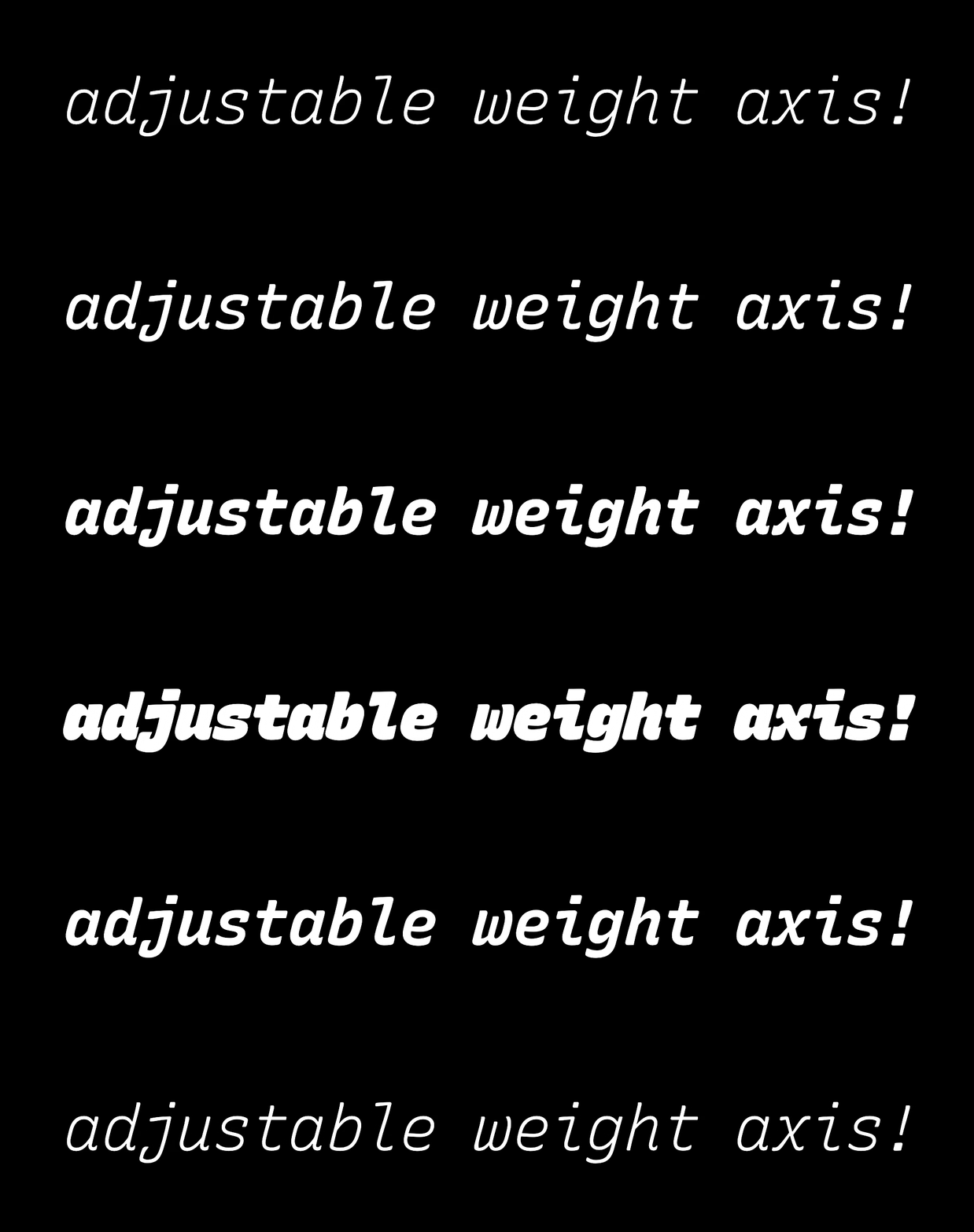
Here I’m adjusting the weight axis between 300 to 1000 and back again
Mapping values between 0–127 from the MIDI controller to the various ranges used for each CSS value is done using a map function:
We can then update the custom property on the text element. For example to update the weight axis we’d do something like this:
I settled on the following mapping for each knob:
- Monospace axis (
--mono) - Casual axis (
--casl) - Weight axis (
--wght) - Slant axis (
--slnt) - Font size (
--size) - Hue component of HSL colour (
--h) - Saturation component of HSL colour (
--s) - Lightness component of HSL colour (
--l)
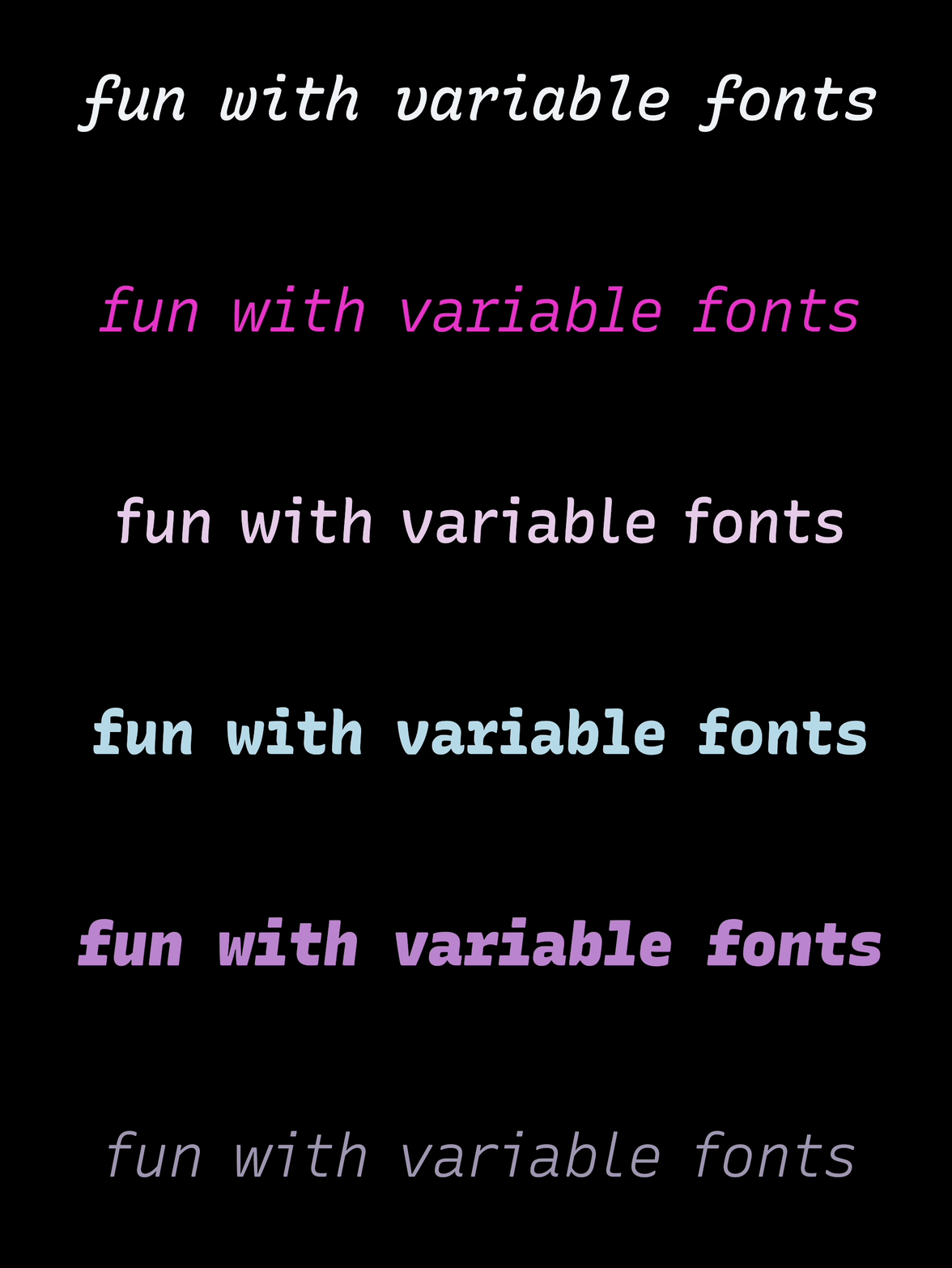
Here I’m repeatedly hitting the ‘randomise parameters’ button
I also hooked up some of the pads to trigger JavaScript functions:
- Randomise parameters
- Start/stop randomisation animation
- Toggle background between black and white
Putting it all together
Because the app is designed to be controlled with a hardware MIDI controller, I’ve intentionally left the visual interface very minimal: the main focus is a single paragraph element, made editable with the addition of the contenteditable attribute. An output section lets users copy the CSS code for use in their projects. There are also on-screen controls which can be locked individually to prevent accidental changes.
For those unlucky few who don’t have the same model of MIDI controller that I used, I’ve also added ‘MIDI Learn’ functionality so users with a different MIDI controller can manually assign parameters in the browser to controls on their device: click the ‘CC’ input next to an on-screen control, then move a control on your device to assign a new CC number.
From my very limited demo, I’ve really enjoyed escaping from the touchpad / keyboard combination I use the rest of the time. Although my choices have been limited by only having eight knobs to play with, I can see how real-time control of CSS parameters could be a fun way to explore new design possibilities.
You can try the experiment here (requires Google Chrome, Edge, or the latest version of Firefox): https://iridescent-eclair-909900.netlify.app/
You can view the source code here: https://github.com/CogappLabs/fun-with-variable-fonts